AI Product Design bootcamp
Become the designer you want to be. Decide, build and prove with AI.
You already ship screens. Next, decide what is worth building, build it with AI and prove it worked.
Taught with
 Claude
 Cursor
 Figma
Figma

- 2live days,
online - 7live hours,
3.5 a day - Soonnew dates,
get notified
Who this is for.
Three roles. One outcome: AI work you can stand behind.
Designers moving upstream
You are strong in Figma and want to own the decision, not just the screen. Mid-level or senior, the work is the same: judgment you can defend.
Design lead or manager
Leave with a method your team runs without you, and a number to show the business.
Designers shipping AI features
Ship it and prove it worked. Your judgment becomes the part nobody can prompt.
79% of design managers want designers who can design AI products. Source
What makes this different
Most AI design courses teach you to generate faster. This one teaches you to decide, build and prove.
Your users, not a simulated one.
Most AI research invents a person from screenshots. You write the screener and quote what people actually said.
Methods rebuilt to run in an afternoon.
Built for teams with 3 weeks and a budget. Rebuilt for one day, with AI doing the reading.
Testing built for a product that moves.
Every usability method assumes the thing holds still between participants. An AI product does not. Module 04 is built for that.
An honest note. If you want a term of React and Next.js, take a design engineering bootcamp. Other people teach that better than I would. Take it, then take this one to know what to point it at.
Every module ends with something you can show.
One project of yours, carried through four modules. Templates and prompts do the setup, so the two days go on deciding.
- Ground AI
- Decide
- Build
- Prove
Module 01 · Ground AI
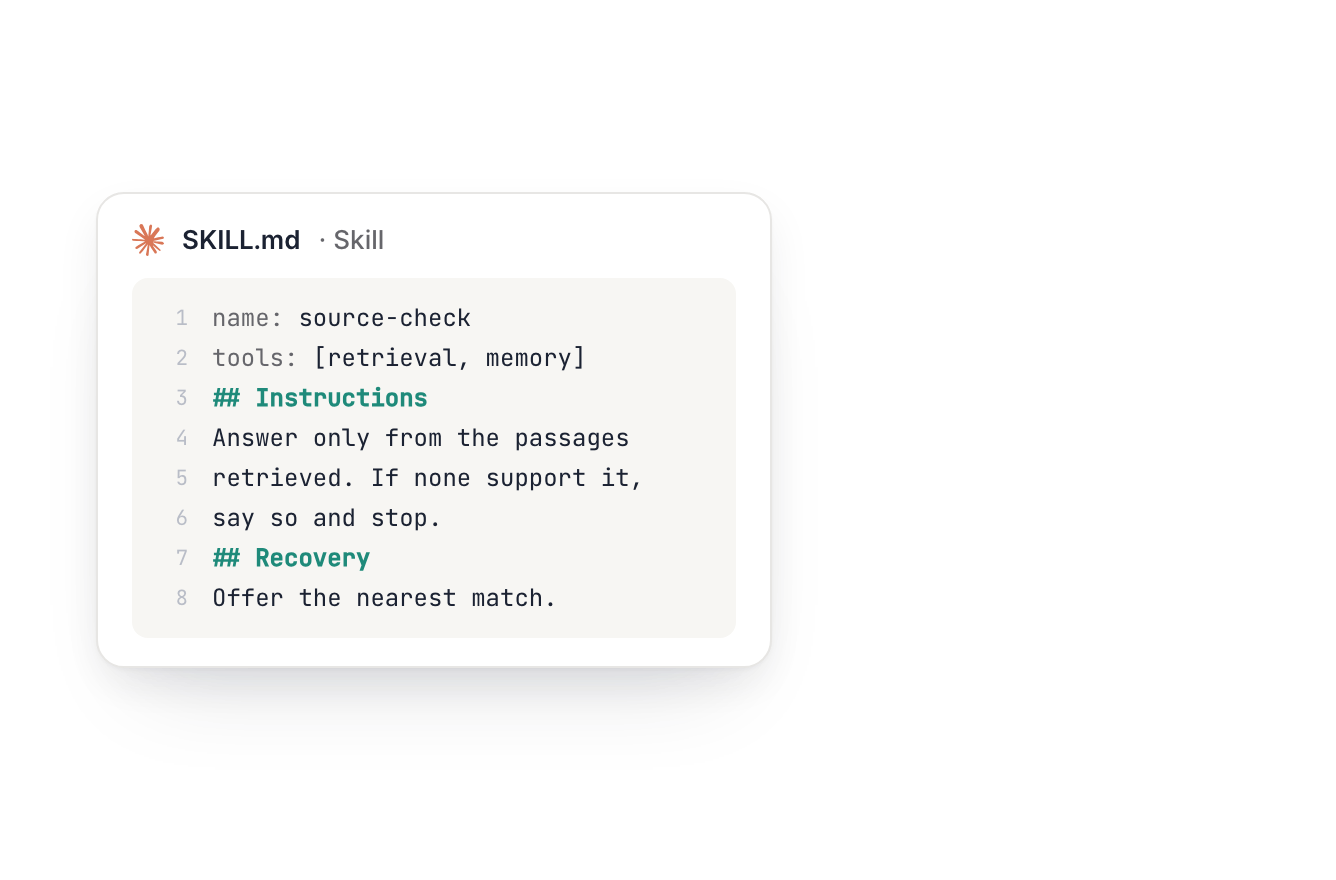
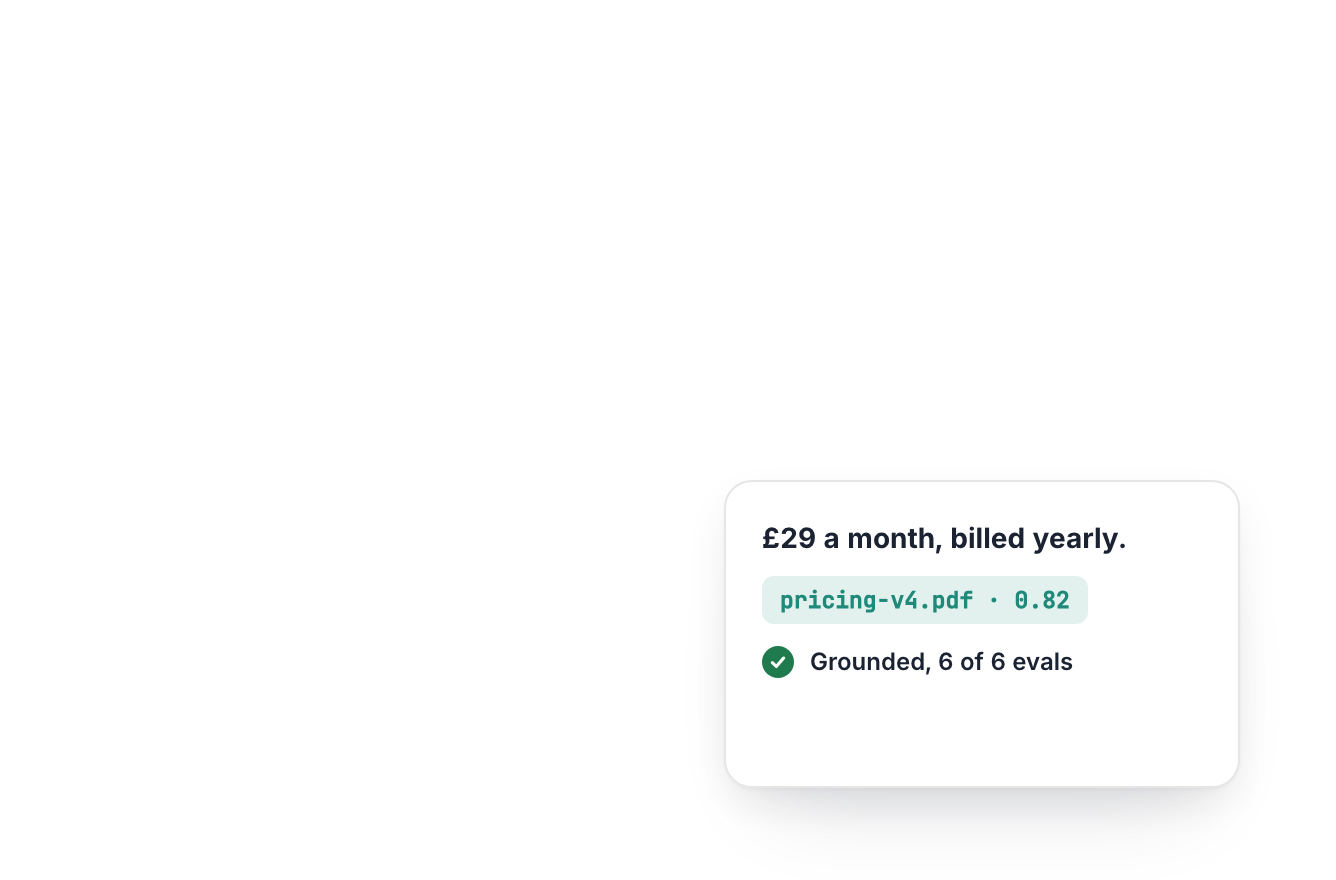
Get answers you can check, not confident guesses.
A working AI Skill, evaluated, with a live link.
- Context and instruction
- Grounding and retrieval
- Agents and permission
- First evaluation

Module 02 · Decide
Decide with evidence you can point at.
A ranked plan, every bet backed by evidence you gathered.
- Design audit
- Friction score
- Personas
- Hypothesis backlog

Module 03 · Build
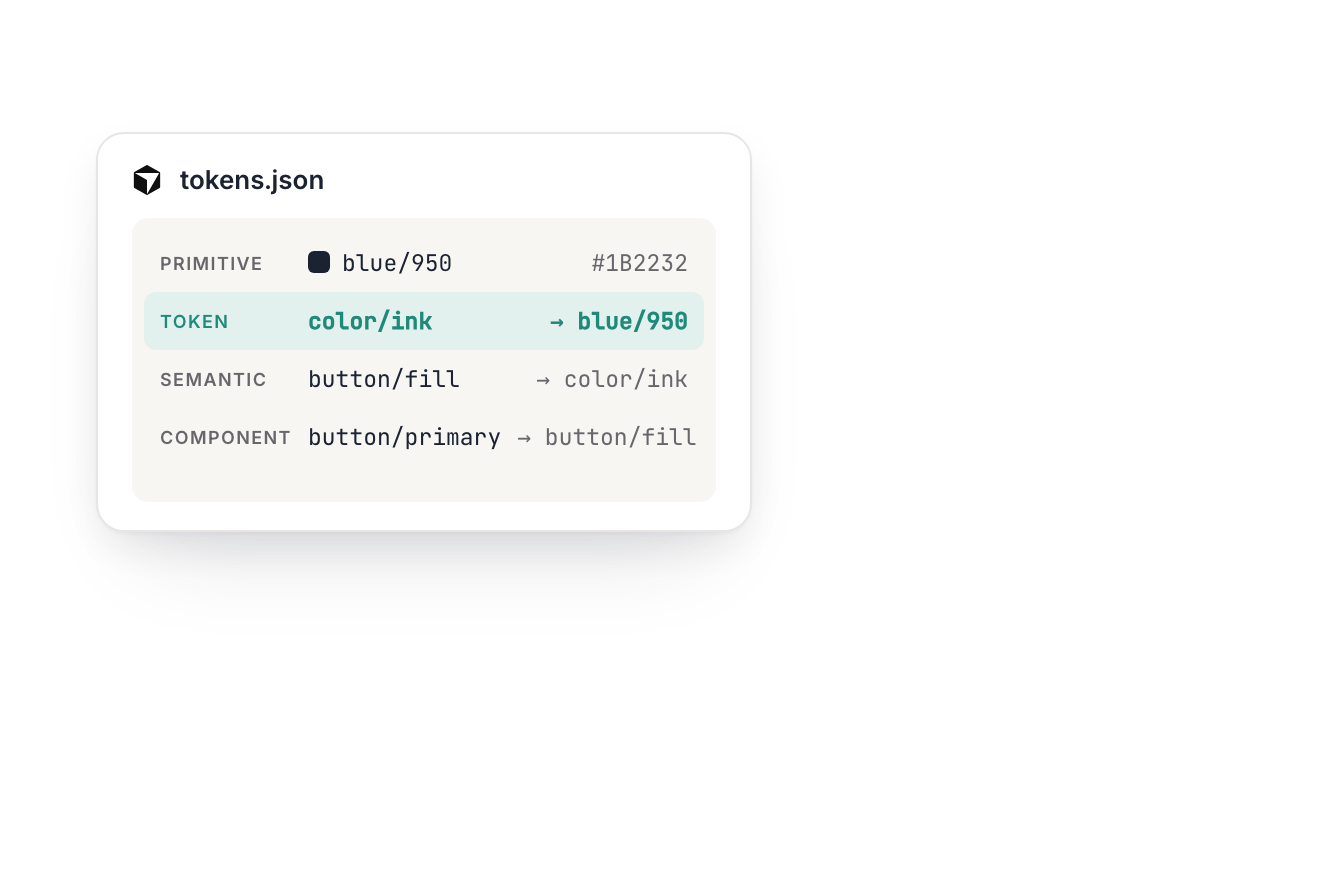
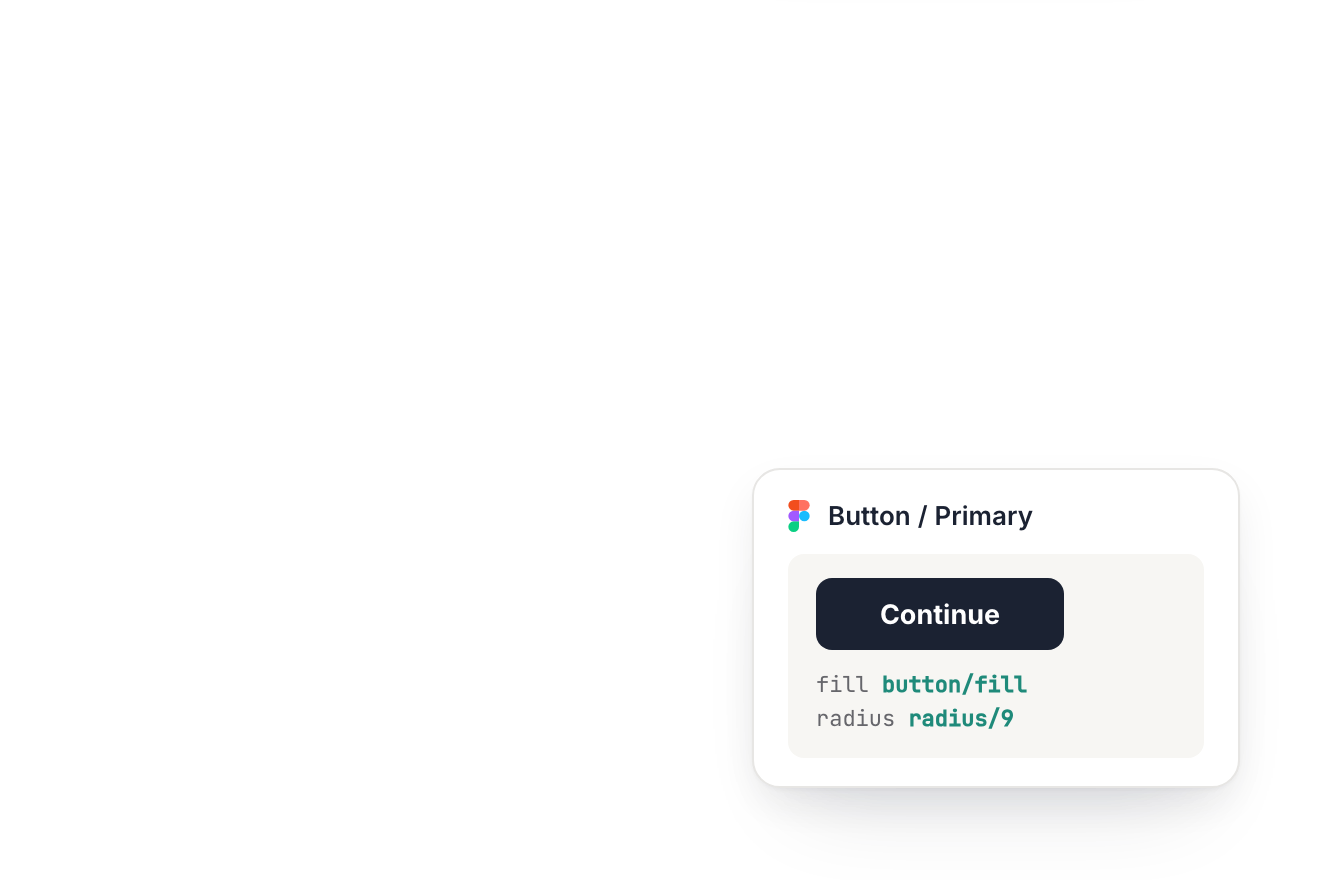
Change a token once. It ships to Figma and the build.
A token file and one component specified well enough to build from.
- Wireframes
- Visual design
- Design tokens
- Prototype

Module 04 · Prove
Walk in with the number your design moved.
A test protocol, a result from the room, and a decision.
- Usability testing
- AI evals
- Impact report
- Monthly loop
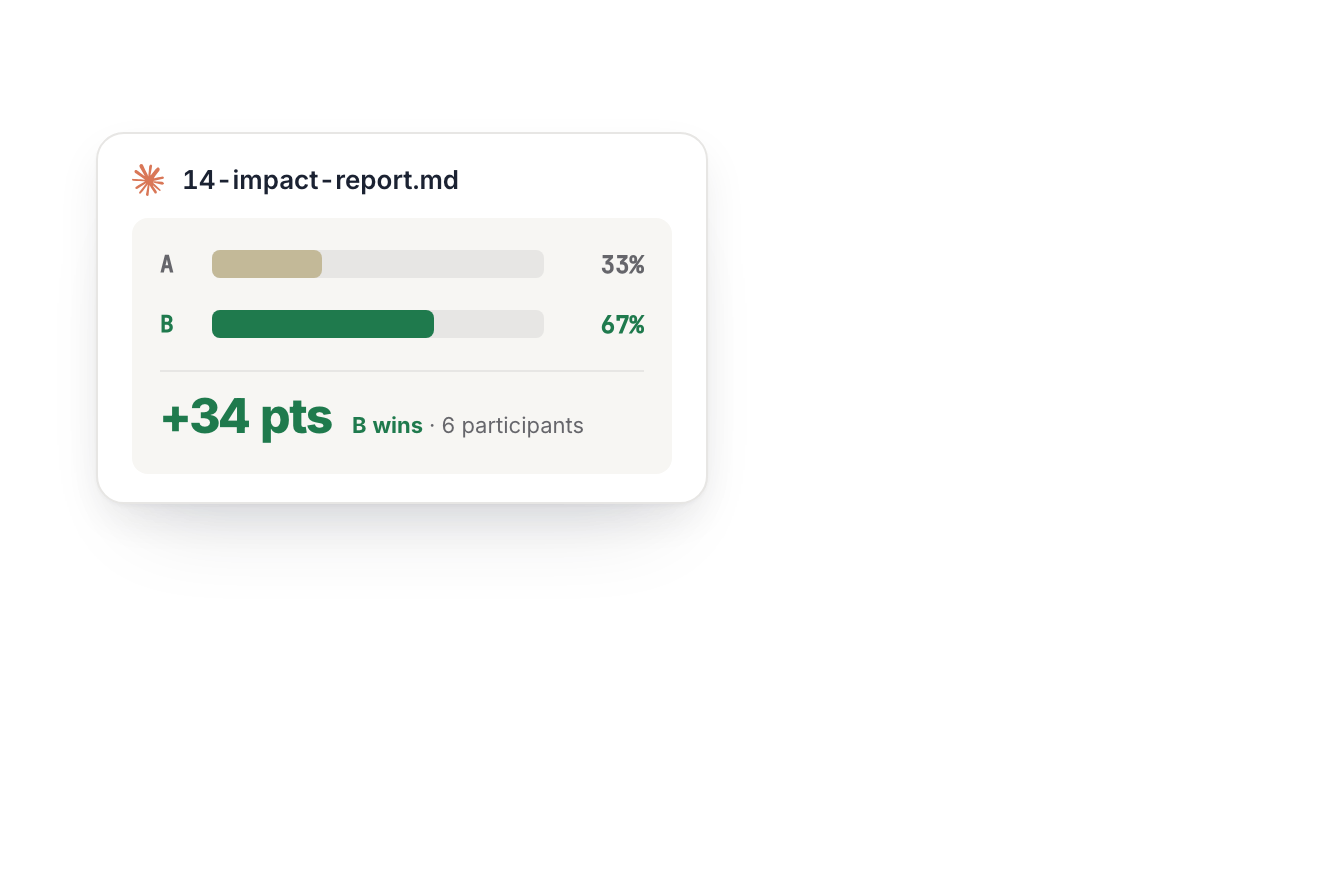
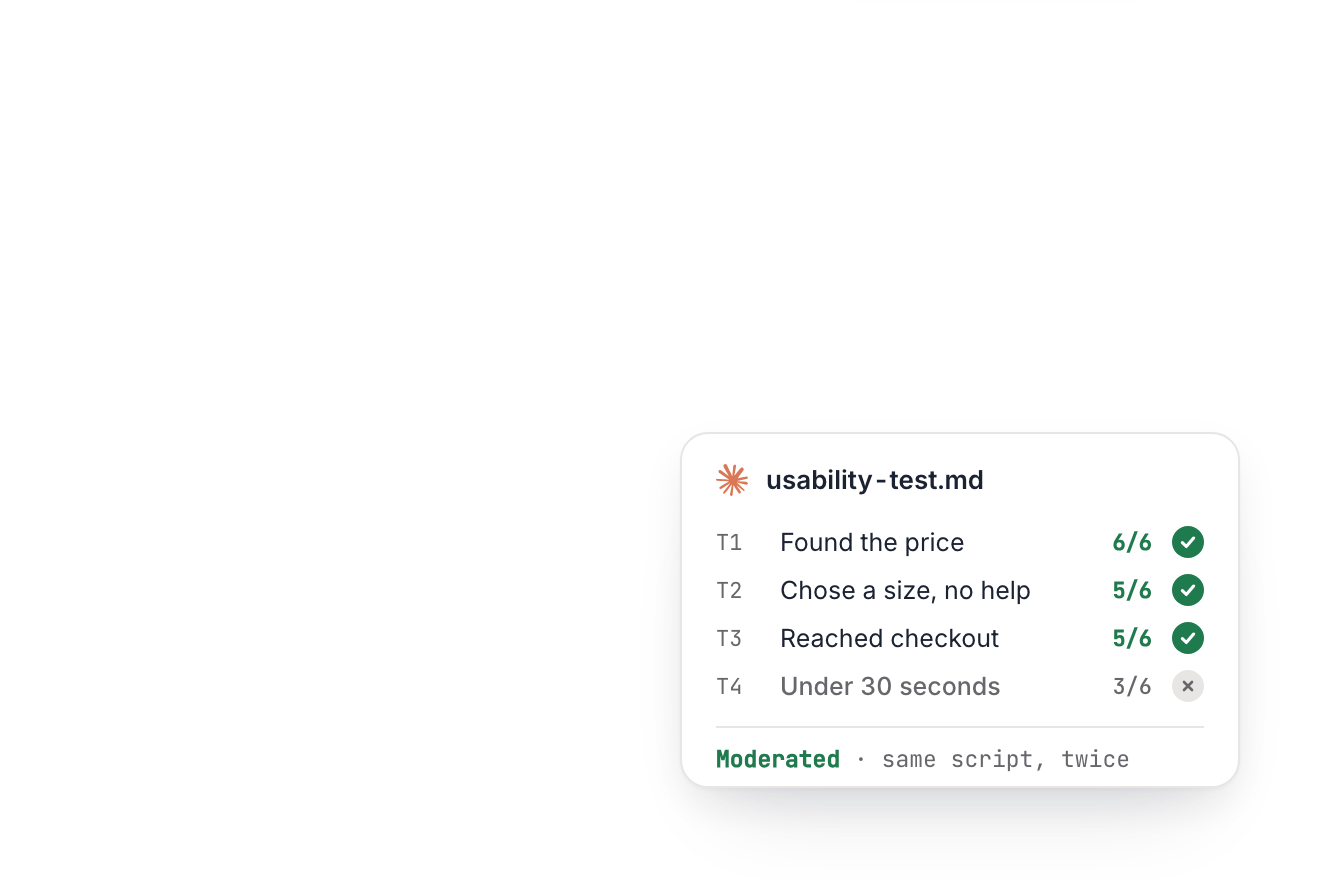



Every lesson behind these four is in the curriculum. See all of them
Curriculum
Four modules, run on the product you are already responsible for.
Methods built for a team with three weeks. Rebuilt to run in an afternoon, with AI doing the reading.
You leave with a working AI Skill, the assistant you built and evaluated, live at a link.
System prompt · Context window · Grounding · Retrieval · Memory · Tool calls · Permissions · Evals
Someone in planning asks whether the AI can remember what the user picked. You need to know if that is the model, the app, or neither. Get it wrong and you design the wrong settings screen, then the wrong error state. By the end you can answer that out loud.
More context is not better context. You rewrite one instruction twice, then add 2 documents it does not need. The answer gets worse while you watch. The assumption never comes back.
Your product will soon take actions without asking. Someone has to draw that line. You take 4 AI actions and decide which ones need a human first. Reversible is not the test on its own. You leave naming one action you would never let it take alone.
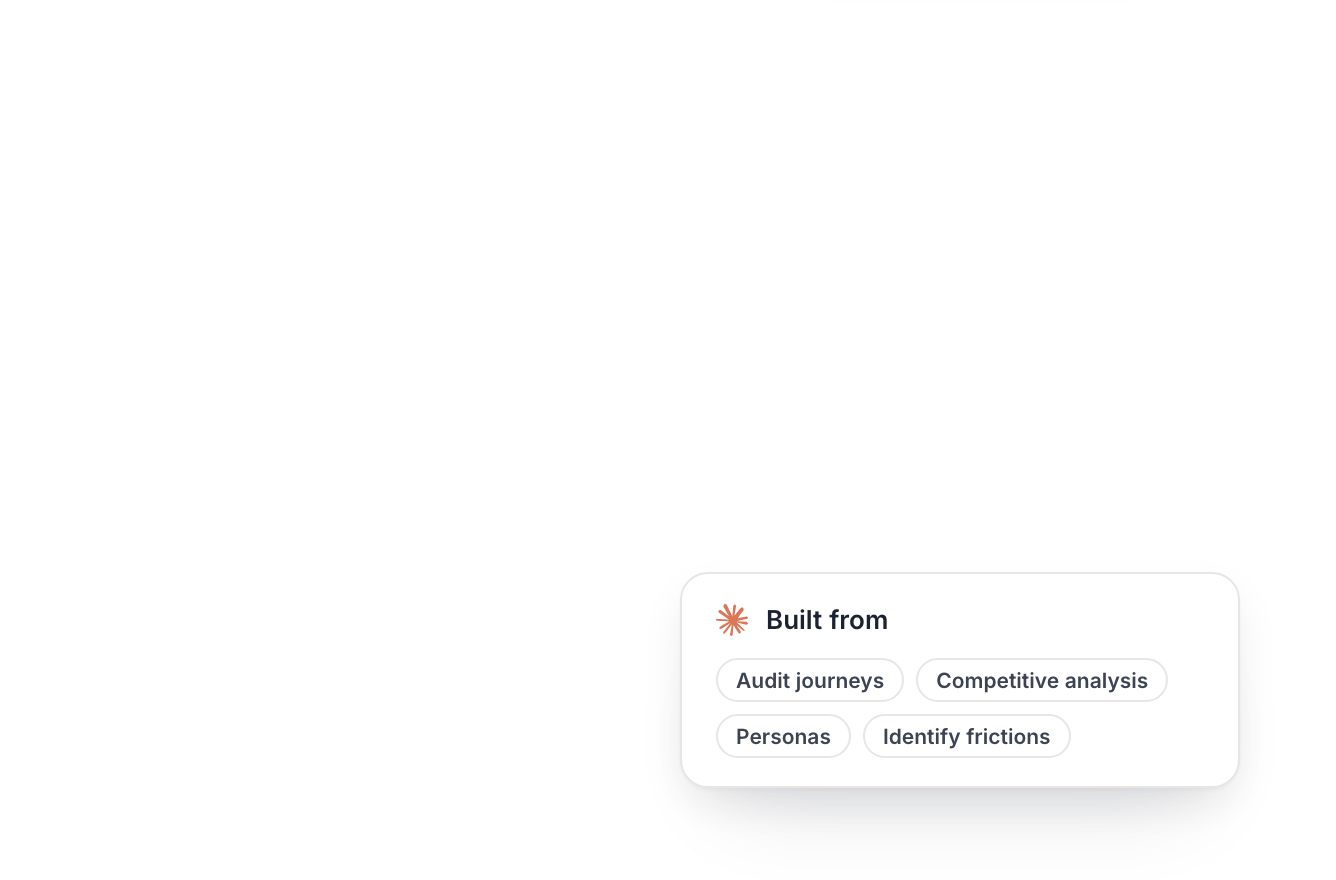
You leave with an evidence file, a friction score, and a persona nobody takes on faith. Plus a ranked plan carrying its rejected list.
Evidence file · Friction score · Personas · Opportunity map · Hypothesis backlog · Rejected list
Any model can audit a product now. Almost nobody can make two raters agree. You score the product task by task, then write the protocol down. Another rater follows it and lands within 1 point of your total. That is what makes the number in your case study survive.
A model writes a persona in seconds, and it will sound right. You write the screener, run it, and rank drives and blocks against what people said. 2 to 3 cards, each block traced to the screen it happens on.
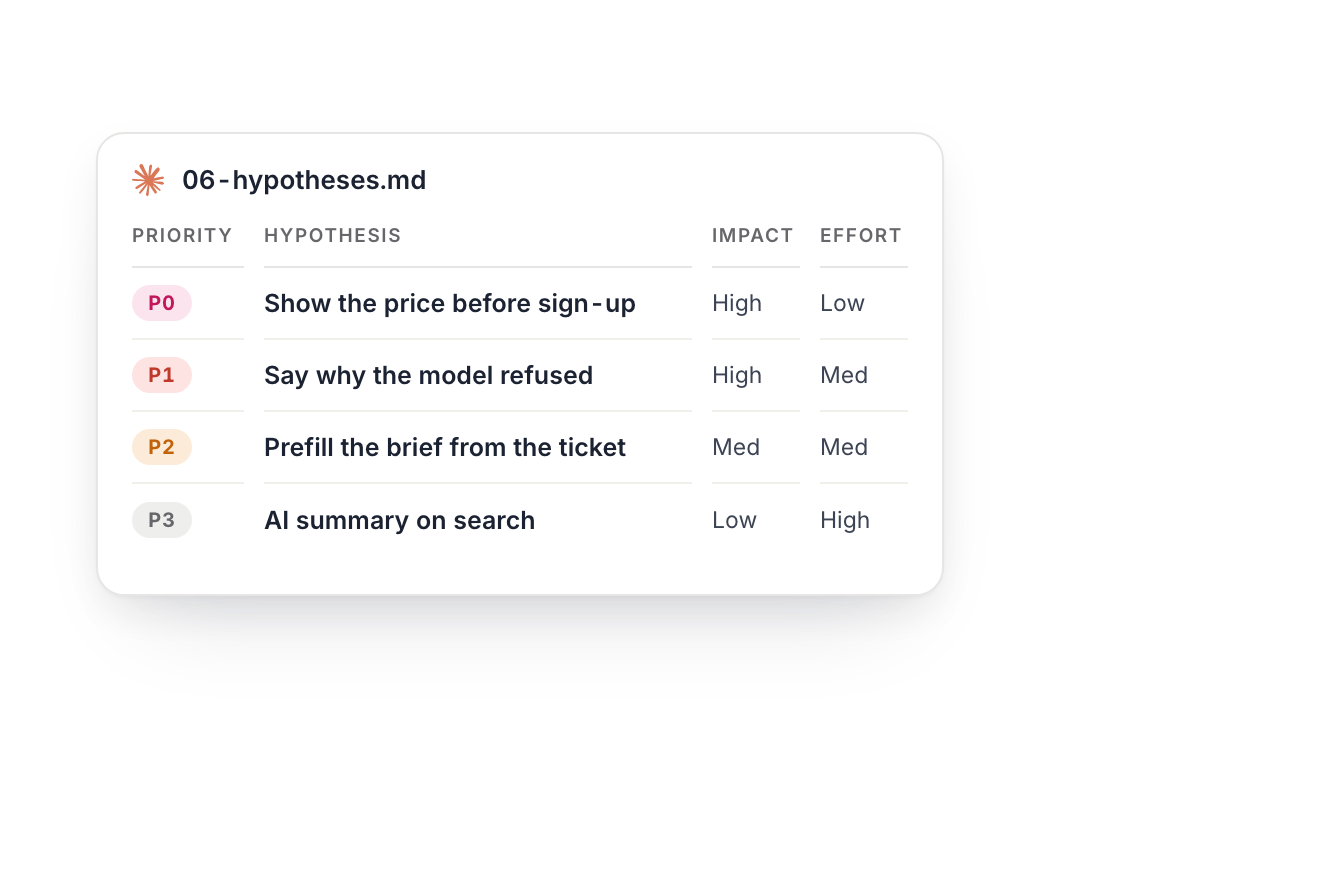
Ideas are cheap to build now, so the argument moves to which one. 3 audit findings become hypotheses, 7 fields each, ranked by effort against impact. Then someone else tries to disprove yours using only what you wrote. Most of the course hangs off this one file.
You leave with a design system with its foundations, one fully specified component, and a prototype that runs.
Primitives · Semantic tokens · Component tokens · Component states · Handoff spec · Prototype
The build happens overnight now, and nobody asked you anything. Your rules were the only steering input there was. Here you write the rule and the test that proves it, side by side. Every AI surface gets 4 defined behaviours: success, uncertain, empty, failure.
The model draws all 5 states now: default, empty, loading, error, uncertain. It cannot decide what uncertain should mean in your product. You write that string twice, once badly and once useful. Only you know what your product can afford to be wrong about.
A flat frame cannot show a model being wrong in front of a user. Your prototype runs the 4 AI behaviours at real latency. Foundations first, then the real screens, then the parts harvested from them.
You leave with a test protocol, verdicts on your own hypotheses, and a decision you can defend.
Test protocol · Task success · AI evals · Impact measurement · Improvement loop
Watching one real person fail is the last research a model cannot run for you. Every task comes from a hypothesis you wrote on day one. Findings come back as 3 verdicts: confirmed, disconfirmed, inconclusive. You stop defending taste in front of people who outrank you.
Anyone can make the screen now. Setting the pass mark is the rarer job. You build a case file from the rules you wrote in Build. The pass mark gets set first, because the same prompt answers differently each time. Known failures go into a regression set so they cannot return.
Nobody tracks whether users override the model. That number is about to matter. You name the metric before the design exists. Then you instrument the 4 signals: override, rephrase, abandon, ignore. Reading a metric you picked afterwards is decoration, and everyone can tell.
The screen is getting cheap. Your judgment is not.
Completion
You leave with a certificate of completion.
Awarded on completing both days. It says you did the work, not that a body examined it. Yours to keep, with your name and a number anyone can check.

- Verifiable. Every certificate has a number and a page at proux.design/verify.
- Signed by Surinder Thakur, NN/g UX Certified, HFI CUA, CDPA. Founder, ProUX.
- Yours to show. On LinkedIn, in your portfolio, on the wall.
ProUX issues this certificate. There is no university behind it and no accrediting body.
Taught by someone who had to prove it first.

Surinder Thakur
AI Product Designer, founder of ProUX
19 years in product design. The platform you use in these two days was built by the person teaching it. Alone, with Claude, Cursor and Figma.
At Puffy, Dubai, over two years
- Revenue
- up 67%
- Checkout conversion
- up 21%
- Cart abandonment
- down 14%
Every figure A/B validated, across 30+ tests.
Instructor credentials
 NN/g
NN/g HFI CUA™
 HFI CDPA™
Designers I taught, on camera.
From trainings that ran before this bootcamp existed.
Seats
One cohort. One price.
New dates are being set now. Leave your email and you hear the day they are ready. 2 live days online, 7 hours in all.
AI Product Design bootcamp
- 2 live days online, 7 hours
- Day 1 Ground AI and Decide, Day 2 Build and Prove
- 3 months of ProUX Pro, included
One payment. Nothing renews, and there is no monthly tier.
The same price when the new dates are set.
- Indian customers are billed in rupees with 18% GST added at checkout. Currently ₹55,812.82.
- Small cohort, so everyone gets time in the room.
- You need Figma, a Claude account and Cursor. Free tiers are enough. No coding required.
When it runs
New dates soon
2 days back to back, 3.5 hours each, online.
What’s included
More than one seat
Team seats
5 seats or more
15% off the current price and a single invoice, so it goes through procurement once instead of 5 times.
- 15% off, from 5 seats
- One invoice, one purchase order
- Seats on the next cohort
In-house
8 or more, on your own product
A private cohort on one product rather than a dozen, so your team leaves with one evidence file, one design system and one measured result.
- Private cohort, from 8 seats
- Your product, your dates
- Remote anywhere, on-site in India and the Gulf
One reply from me, within 2 working days.
Before you book
New dates are being set now. Leave your email in the seat card above and you hear the day they are ready. That address gets that one email and nothing else.
The days are not recorded. The reason is the thing you are paying for: the session is spent on your product, on screen, in front of the room. You get the slide decks, the speaker notes and the worked cases the same day, so a missed day is a day you read rather than a day you lose. If you already know a date is a problem, email hey@proux.design before you book and I will tell you whether to wait.
No. You read code and write specs. Day 2 covers the design system and the handoff layer, which is where most designers lose the argument with engineering, and you leave able to win it. Cursor is open on screen. You are not asked to ship from it.
If you own a flow end to end and have shipped it, you are ready. Mid-level designers get the most out of this, because the habits land before the bad ones set in. If you are still executing someone else's spec line by line, you will find it a stretch.
Yes, and it is the better choice. Bring a real flow with real users behind it. If your company will not allow it, bring a redacted version or take one of the supplied briefs. The exercises work either way. What you leave with is stronger when the screen is yours.
Figma, a Claude account and Cursor. Free tiers of all three are enough to follow along. A paid Claude tier, about $20 for the month, gives you more room to work. Nothing else needs buying. Between the two days you spend 1 hour pulling 10 quotes out of your own product. That is the whole ask.
Then ask before you pay rather than after. Email hey@proux.design with what you are working on and what you want to stop being stuck on. I read it and tell you straight, including when the answer is that this is not the right thing to buy. That costs you one email.
The screen is getting cheap. Your judgment is not.
- When
- New dates soonLeave your email to hear first
- Price
- $495a seat, one payment
- Format
- 7 live hours, online, on a product of your own